 prestApps
Three apps, crafted for Apple platforms
Two privacy-first tools that do one thing well and keep your files on your device, and a card game to play with friends.
 macOS
macOS
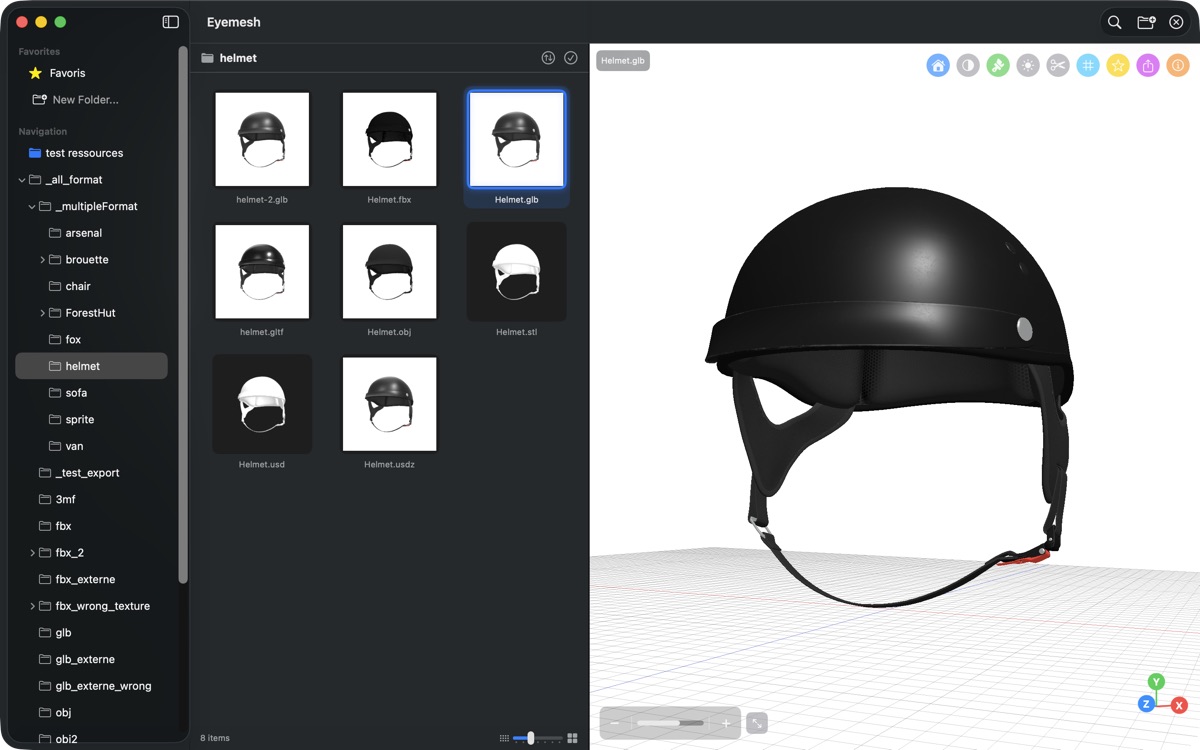
Eyemesh
A fast 3D file viewer for your Mac. Preview, inspect and export 17 formats including USDZ, OBJ, STL, GLB and FBX.

 iPhone & iPad
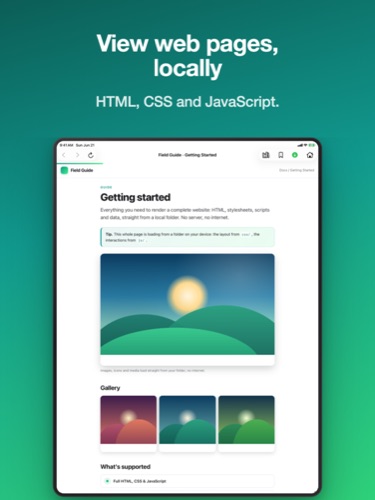
Pagira
An HTML and PDF viewer for iPhone and iPad. Opens a complete local site folder - CSS, JavaScript and subfolders all resolved - with offline reading and iCloud streaming. Also reads your EPUB books and comics.

 iPhone & iPad
Dégringole
Seven piles, a tarot deck and one golden rule: get rid of your cards before everyone else. Solo against the AI, together on one device, or online multiplayer.

Testimonials
Eyemesh
★★★★★
Excellent App, Exceptional support
This app offers great 3D model management functionality (visualization, browsing, conversion, export). Developer improved model visualization substantially in response to my requests - and he did so incredibly fast! This is a superb app. Thank you!
Eyemesh
★★★★★
I've used all sorts of solutions for 3D model quicklook support over the years, and there are previous few good options. Super happy to find a new tool that looks more robust than most (with the opening and exporting options, not just quicklook!). I purchased a license and left a 5-star review.
Eyemesh
★★★★★
I have just purchased a licence for Eyemesh for Mac which I think is a really handy app. Awesome to see the custom colour update so quickly! I look forward to trying the update.
Eyemesh
★★★★★
Wonderful! I just purchased the app. Great work!
Pagira
★★★★★
Excellent
Superb app. I had been looking for a long time for a way to read the HTML course material my university provides, and to read it offline too. The pages display properly, with their layout and images intact. Thank you 👍
Pagira
★★★★★
Simple, practical and effective
A very handy app that is easy to use. Being able to keep pages, HTML files or PDFs and then read them offline is really welcome. Everything opens cleanly and quickly, and I very much like that there is no account to create and no advertising. A great find!
Why prestApps?
One independent developer in Paris, no investors and no growth team. What that means for you:
Privacy by design
Eyemesh and Pagira have no analytics, no crash reporter, no telemetry and no account to create. No app opens a connection to a prestApps server, because none exists: your files never leave your Mac, your iPhone or your iPad.
Native, made for Apple platforms
Swift and SwiftUI, more than ten years spent on Apple platforms. Each app is reviewed and distributed by Apple, with no subscription: Eyemesh and Pagira are bought once, updates included, and Dégringole is free.
Support that answers
Your email reaches the developer directly, not a ticket queue. Bugs go to the top of the list, and requested features usually ship within days.
Frequently asked questions
Eyemesh, 3D on the Mac
On macOS, Eyemesh is one of the most complete options on the Mac App Store: it opens and exports 17 3D formats (USDZ, OBJ, STL, GLB and FBX among others), with no subscription and no account to create. It is a one-time purchase, updates included.
Most free alternatives stop at the Quick Look preview built into macOS, with no way to inspect a scene in detail or export it to another format. The more capable free tools, such as Blender, are full modelling suites: powerful, but oversized when all you need is to view or convert 3D files day to day.
Eyemesh sits in between, built for professionals and creators on Mac: open a file straight from the Finder, orbit around the model, inspect its materials and export it, all without your files ever leaving your machine. As one user puts it in the app's reviews, good options here are “rare”, and few tools combine opening and exporting. Eyemesh is developed by prestApps, an independent developer based in Paris: support comes straight from the person who writes the app, and requested features usually ship within days.
A 3D viewer for Mac is an app that opens, displays and inspects 3D files directly on macOS, without going through a full modelling suite. It handles one or several of the common formats (OBJ, STL, GLB, USDZ, FBX and others) and gives you what you need to move around a scene: rotate, zoom, inspect the materials.
In practice it answers a precise need: you receive a 3D file, and you want to look at it quickly or convert it to another format, without opening Blender or paying a subscription for a professional CAD tool. A viewer bridges the gap between a plain preview (what the Quick Look extension built into macOS gives you) and full creation software.
Eyemesh, the Mac app from prestApps, is one example of this kind of tool: it opens 17 3D formats, lets you orbit around the model, inspect its materials and export to a different format, as a one-time purchase and without your files ever leaving your Mac. It is made for professionals and creators who handle 3D files every day and want something light, reliable and private.
Quick Look, the preview extension built into macOS, shows some 3D formats straight from the Finder, without opening any app. Eyemesh goes well beyond that: you can move freely around the model, inspect its materials and export to another format, where Quick Look stops at a static or barely rotating view.
In practice Quick Look natively recognises a few formats, such as USDZ on recent versions of macOS, but it offers no inspection and no export. If you only want to confirm that a file displays correctly before sending it on, that is enough. As soon as you need to examine the materials, change the lighting or convert an OBJ file to GLB, Quick Look reaches its limits.
Eyemesh handles 17 3D formats (USDZ, OBJ, STL, GLB and FBX among others), with orbit navigation, material inspection and direct export from the interface. One user puts it plainly in the app's reviews: they wanted a tool “more robust than most (with the opening and exporting options, not just quicklook!)”. Everything happens locally on your Mac: no file leaves your machine, and there is no account to create. Eyemesh is on the Mac App Store as a one-time purchase, updates included, with no subscription.
Pagira, HTML and PDF on iPhone and iPad
On iPhone and iPad, Pagira opens a whole local site folder, not just a single page: stylesheets, scripts and subfolders are resolved, images show up and the links between pages work. Your PDFs, EPUB books and comics open in the same app.
That is what the rest of the system is missing: iOS can display a lone HTML file, but a document that arrives as a folder of linked pages (a course export, a documentation set, a technical review) loses its layout and its links. Pagira shows it whole, offline, with no web server to start and no connection needed.
You drop your folders in from the Files app or use “Open with Pagira”, and a folder left on iCloud Drive can be streamed as you read rather than downloaded up front. Search finds a precise sentence anywhere in the folder, in web pages as well as PDFs, on the device. Pagira is made by prestApps, as a one-time purchase with no subscription: nothing you open leaves your iPhone or your iPad.
Yes, and that is where the app starts: Pagira opens the whole folder rather than the isolated page, and shows it as it was designed. Stylesheets, images, subfolders and relative paths are resolved, the links between pages work, and so do the interactive parts. That holds from a single HTML page up to a documentation set of several thousand pages.
This is exactly where the rest of the system falls short: opening a lone HTML file on iOS gives you bare text, because everything the page depends on (styles, images, scripts, neighbouring pages) stays outside. By working on the whole folder, Pagira keeps the original layout. PDFs go through a built-in reader instead: smooth scrolling, pinch to zoom, easy page-to-page navigation, and a PDF link inside a web page opens straight in the view.
What Pagira does not do is rewrite your documents: it displays them, it does not reformat them. The document's own styles decide how it looks, which is what keeps a technical manual faithful to the original, figures and tables included. And it all happens on the device, offline if you need it: nothing you open goes anywhere else.