Open a DXF file on Mac, without AutoCAD
Eyemesh is a DXF viewer for Mac. Open a DXF from a manufacturer, an architect or an engineering firm in one click, without AutoCAD or Fusion. Check it, then show it to your client.

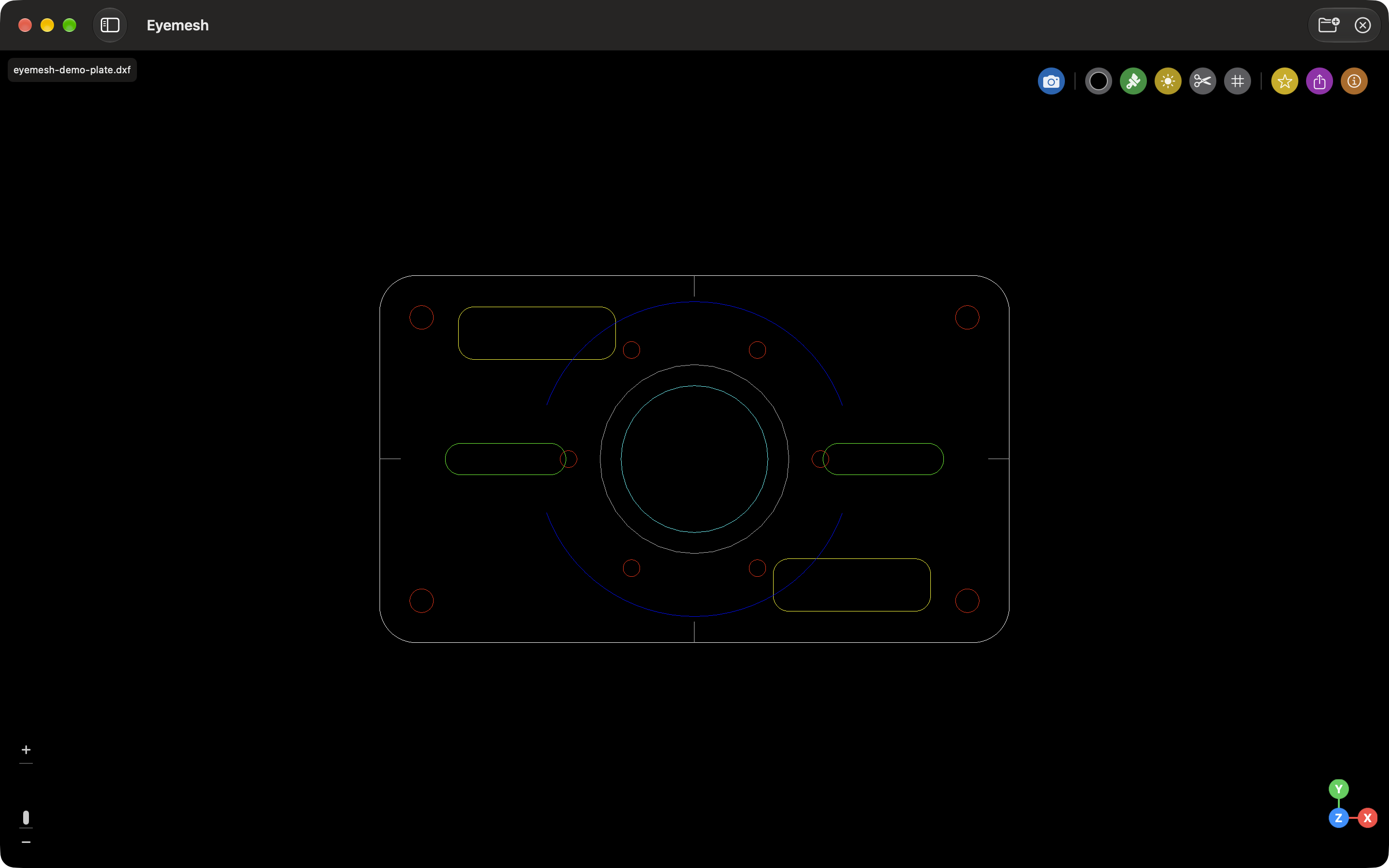
Eyemesh is a DXF viewer for Mac. Open a DXF from a manufacturer, an architect or an engineering firm in one click, without AutoCAD or Fusion. Check it, then show it to your client.
A double-click is enough, or even the space bar in Finder: Eyemesh plugs into QuickLook and shows the drawing without launching any app. A DXF opens straight in top view, as in your CAD software. In a project folder, thumbnails show the actual content of each file instead of a generic icon.
If you receive DXF files more often than you draw them, Eyemesh saves you time:
You swap drawings with clients and subcontractors: check a DXF you received without reopening your CAD software.
Layout plans for rooms, stages or stands: check the dimensions and show the project to your client.
DXF is the input format for cutting: check arcs and outlines before you start the machine.
Flat patterns and parts received as DXF: a glance in Finder is enough to find the right file.
Furniture and fit-out drawings: check dimensions and profiles before production.
Drawings exported from your software or a colleague's: open them on a Mac without a CAD licence.
Cut letters, panels, stand structures: check the shapes and share an HD image.
Students, trainers, prototyping workshops: open the DXF files of a course or project on any Mac.
2D drawings as well as 3D models:
Add tags, notes and star ratings to your DXF files without ever modifying the files themselves: approved, to check, sent to client. Group a job's files in a favourites collection, whatever folder they live in.
The same tools work on the 3D models you receive alongside the drawings: OBJ, STL, 3DS, DAE, FBX, glTF, and 17 formats in all.
No. Eyemesh opens DXF files directly on macOS, by double-clicking the file or pressing the space bar in Finder.
Yes. Eyemesh rebuilds polyline arcs, circles, ellipses and splines, so fillets and rounded profiles look as they do in your CAD software.
Yes. Once Eyemesh is installed, select the file in Finder and press the space bar: the preview appears in QuickLook.
Yes. Export an HD image or a 360° video, or, for a 3D model, a USDZ that opens directly on iPhone and iPad.
No. Everything happens on your Mac: no account, no upload.
Open your first DXF in seconds. 7-day free trial.