Back to home
Built-in PDF reader for iPhone and iPad
A clean, fast PDF reader: smooth scrolling, zoom, go to page, table of contents, highlights and notes, in the same app that opens your local websites.
A clean, fast PDF reader: smooth scrolling, zoom, go to page, table of contents, highlights and notes, in the same app that opens your local websites.
A local documentation set is rarely all HTML. There is usually a specification, a manual or an appendix sitting next to it as a PDF. Switching apps to read it breaks the thread, and the link that pointed to it stops meaning anything.
Pagira opens PDFs in a clean, fast reader: smooth scrolling, pinch to zoom, and easy navigation from page to page. Nothing to configure, no import step, no conversion.
The bar shows the page you are on, “12/240”. Tap it: type a page number, or go through the table of contents and the thumbnails to head straight for the chapter.
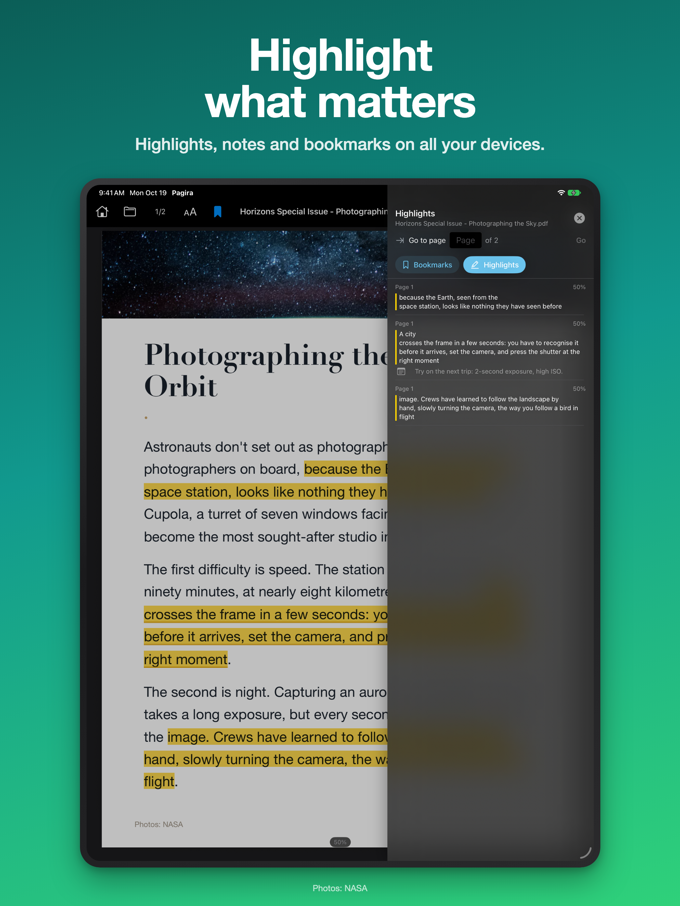
Select a passage to highlight it, add a note to it, put a bookmark on a page. It all comes together in the document's panel, and one tap takes you back to the passage. With iCloud, your highlights and notes follow you to your other device.
Tap a link to a PDF from inside an HTML page and it opens right there. Swipe back and you are on the page you came from. The document is part of the site rather than a detour out of it.
Because both live in the same app, a folder mixing HTML and PDF stays coherent. You do not maintain two reading habits, and offline behaviour is identical for both.
You do not need a website around it. Open a PDF on its own from Files or any app, and it lands in the same reader.