Back to home
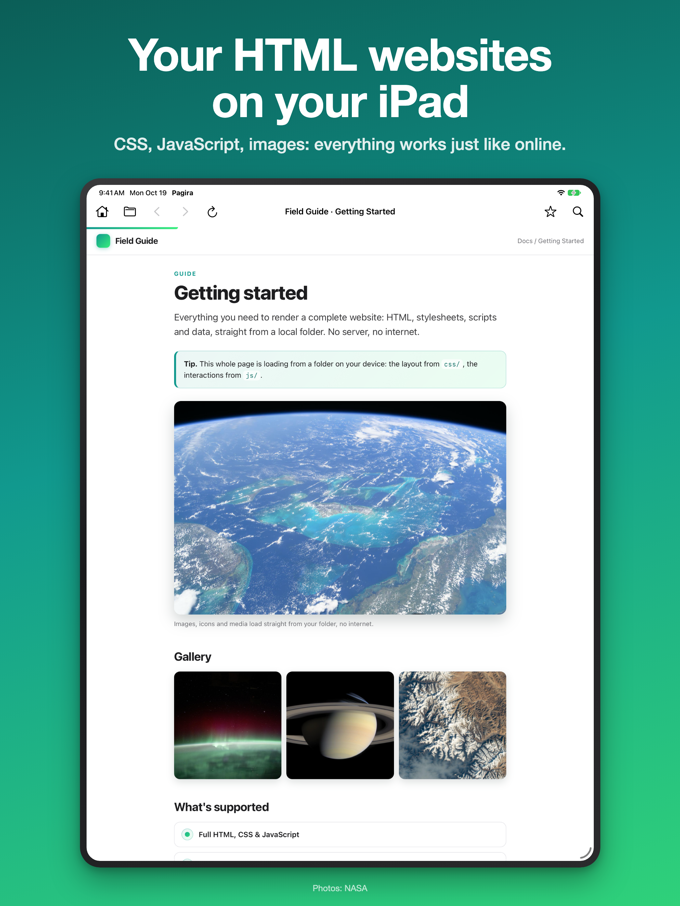
Open full local websites on iPhone and iPad
Pagira renders a whole site folder the way it was built: layout, images, styles and linked pages all resolved, entirely on your device.
Pagira renders a whole site folder the way it was built: layout, images, styles and linked pages all resolved, entirely on your device.
Most apps that claim to open HTML on iOS show you one file. A real website is not one file: it is a folder, with a stylesheet here, an images directory there, and links pointing between a dozen pages. Open the index on its own and you get unstyled text.
Pagira opens the folder. The layout, the images, the styles and the linked pages all resolve, because the app reads the site the way a browser would, relative paths included. What you see is what the author built.
Click through from the index to a subpage, follow a link into a subfolder, come back. Internal navigation behaves as it does on the web, so a documentation set or an exported site stays usable rather than becoming a pile of files.
Nothing is uploaded. There is no server, no account and no round trip to a remote service. That matters when the site is client work, an internal document set, or anything you would not drop into a web tool.
A site often arrives compressed. Tap the archive in Pagira: it is unzipped wherever you choose, and the site opens.
If all you have is one HTML page, that works too. Pagira opens a whole site folder or a single file, whichever you have on hand. The step by step is in how to open an HTML file on iPhone and iPad.