You get a .html file by email, or you find one in Files after unzipping an archive. You tap it, and depending on the case nothing happens, it opens in a preview showing raw text, or Safari displays it with no formatting at all. The file is not broken: iOS simply does not know what to do with a web page that lives on the device.
Why iOS struggles with local HTML
A browser is built to fetch pages from a server. When the page is already here, on your device, two problems appear.
The first is that almost no website is a single file. It is a folder: the page calls a stylesheet, an images directory, sometimes JavaScript, and points at other pages. Opening the lone .html file is like reading a book where the text was kept and the layout thrown away.
The second is that the iOS sandbox isolates apps. An app that opens your file does not necessarily have permission to read the surrounding folder, so neighbouring assets stay out of reach even when they sit right next to it.
The four ways to open HTML on iOS
1. The Files preview
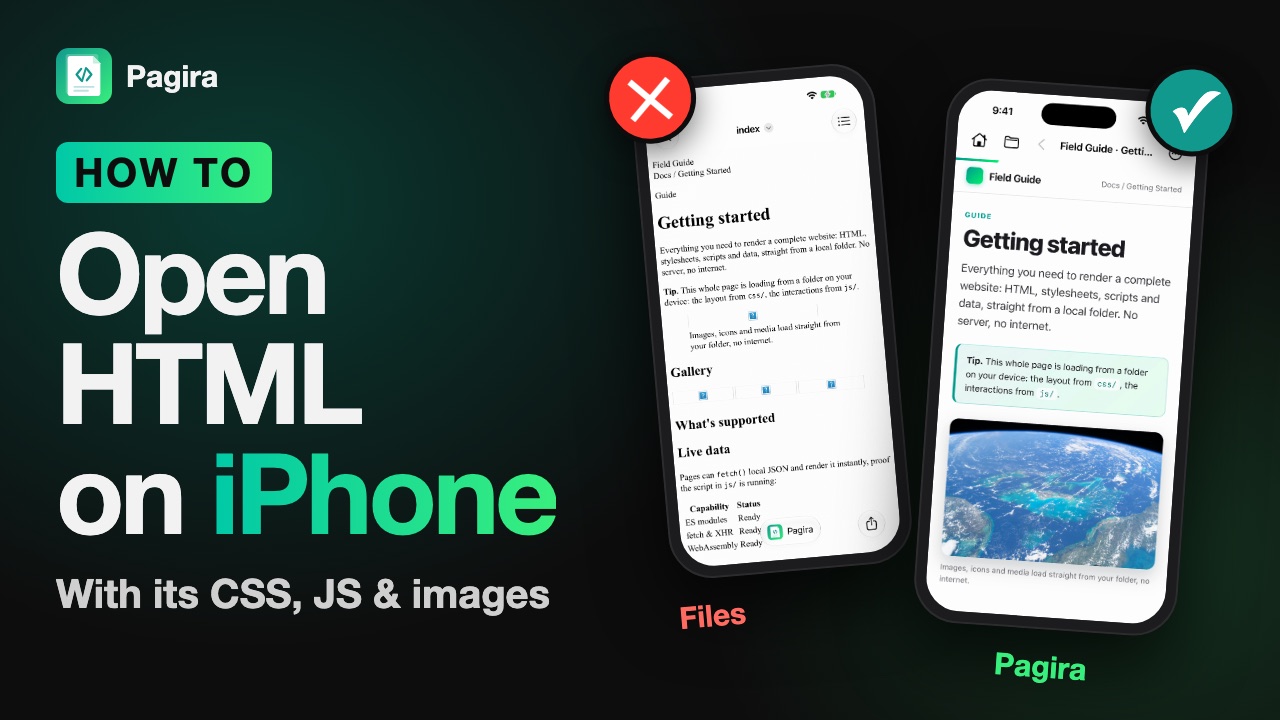
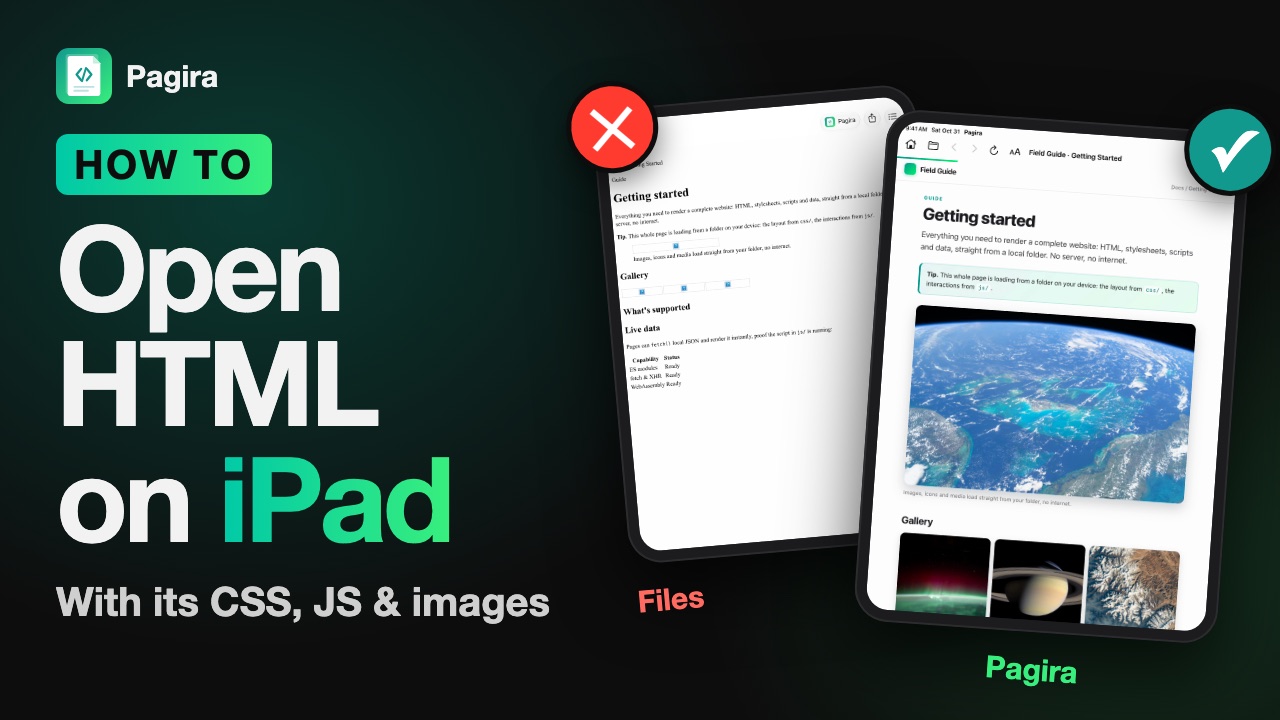
Fast, already installed, nothing to do. It does treat the file in isolation though: missing styles, missing images, internal links that lead nowhere. Good enough to check a file contains something, not to read it.
2. Convert it before sending
Turning the page into a PDF from a computer before transferring works, and gives a perfectly readable document on iPhone. But you lose navigation between pages, and you have to redo it on every update. That is a solution for a frozen document, not for a documentation set.
3. Put it on a server
Publishing the site somewhere and browsing it with Safari gives a perfect result. It is also the only case where your content leaves your device, which becomes a problem as soon as it is client material or unreleased work. We cover that trade-off in reading a local site without running a web server.
4. An app that reads the folder
The last option is an app built for it, one that opens the whole folder and resolves relative paths the way a browser would. What to check before picking one is in our guide to choosing an HTML viewer for iPad and iPhone.
| Method | Layout and images | Links between pages | Offline | Nothing to publish |
|---|---|---|---|---|
| Files preview | No | No | Yes | Yes |
| Converting to PDF | Yes | No | Yes | Yes |
| Site on a server | Yes | Yes | No | No |
| An app that reads the folder | Yes | Yes | Yes | Yes |
What about Safari?
It is the question that comes up most, and the answer is clear: Safari on iPhone and iPad does not open a file that lives on the device. The browser is built to fetch pages over the network. It has no “open file” command, and it does not appear in the Files app's “Open with” menu.
The preview you sometimes see comes from Files, not from Safari. It uses the same rendering engine, which is where the confusion comes from, but it loads the page on its own: the stylesheet, the images and the neighbouring pages stay out of reach. That is why the same file looks right on a Mac and unstyled on an iPhone.
On a Mac, by contrast, a double click does open the file in Safari over file:// and everything works. The difference is not an iOS defect: it is the sandbox, which stops an app from wandering into another app's folders.
Opening an HTML file with Pagira
Pagira opens a complete site folder or a single file, on iPhone and on iPad.
- Install Pagira from the App Store.
- In Files, tap the file or the folder and choose Open with Pagira.
- The page appears with its layout, images and styles. Internal links work.
If you have the complete folder, open the folder rather than the file: that is what lets stylesheets and images be found. The detail is on the open full local websites page.
These videos show how to open an HTML file with its CSS, JavaScript and images, on iPhone:
And on iPad:
The case of ZIP archives
A site often arrives compressed. Pagira opens the archive directly: tap the .zip or choose “Open with Pagira”, it is unzipped wherever you choose and the site appears. Without Pagira, unzip the archive in Files with a long press, then open the resulting folder. Opening the .html without extracting the archive will never render correctly, since the neighbouring files are not extracted yet.
And the PDFs in the middle
Many folders mix HTML pages and PDF documents, with links from one to the other. A link to a PDF opens in the same app, and a swipe brings you back to the page you came from. See the built-in PDF reader.
FAQ
Why does my file open with no formatting?
Because the stylesheet was not found. It almost always lives in a separate file, often in a subfolder. Open the whole folder rather than the single file.
Does JavaScript work?
Yes. Interactive pages behave as expected, which matters for documentation with dynamic navigation or a page that renders something on screen. See CSS and JavaScript support.
Is my file sent anywhere?
No. Everything runs on your device, with no server and no account. That is the fundamental difference with an online service that displays your pages.
Can I open a file received by email?
Yes, through the share sheet. If the attachment is an archive, save it to Files first and unzip it.
And on iPad?
The steps are identical. One app covers iPhone and iPad, with an interface suited to both.
Do I need an internet connection?
No. A local file reads offline, on a plane or in a basement, because there is nothing to download. That is the whole point of the approach for a large documentation set: see reading offline documentation on iPad.